How to Compress PDF Files Locally (No Upload, High Quality)
Learn how to compress pdf online for free. 100% local processing. Reduce file size without losing quality or digital signatures.
Compress PDF NowWhy Your PDF File is So Large
Scanned pages arrive as full-resolution images, every typeface gets embedded whole, and revision history piles up invisibly. The usual fix (upload-and-wait compressors) moves your document to a server you do not control. Local compression removes the transfer entirely — the file is processed on your own machine and never leaves it.
Step-by-Step: How to Compress PDF Locally
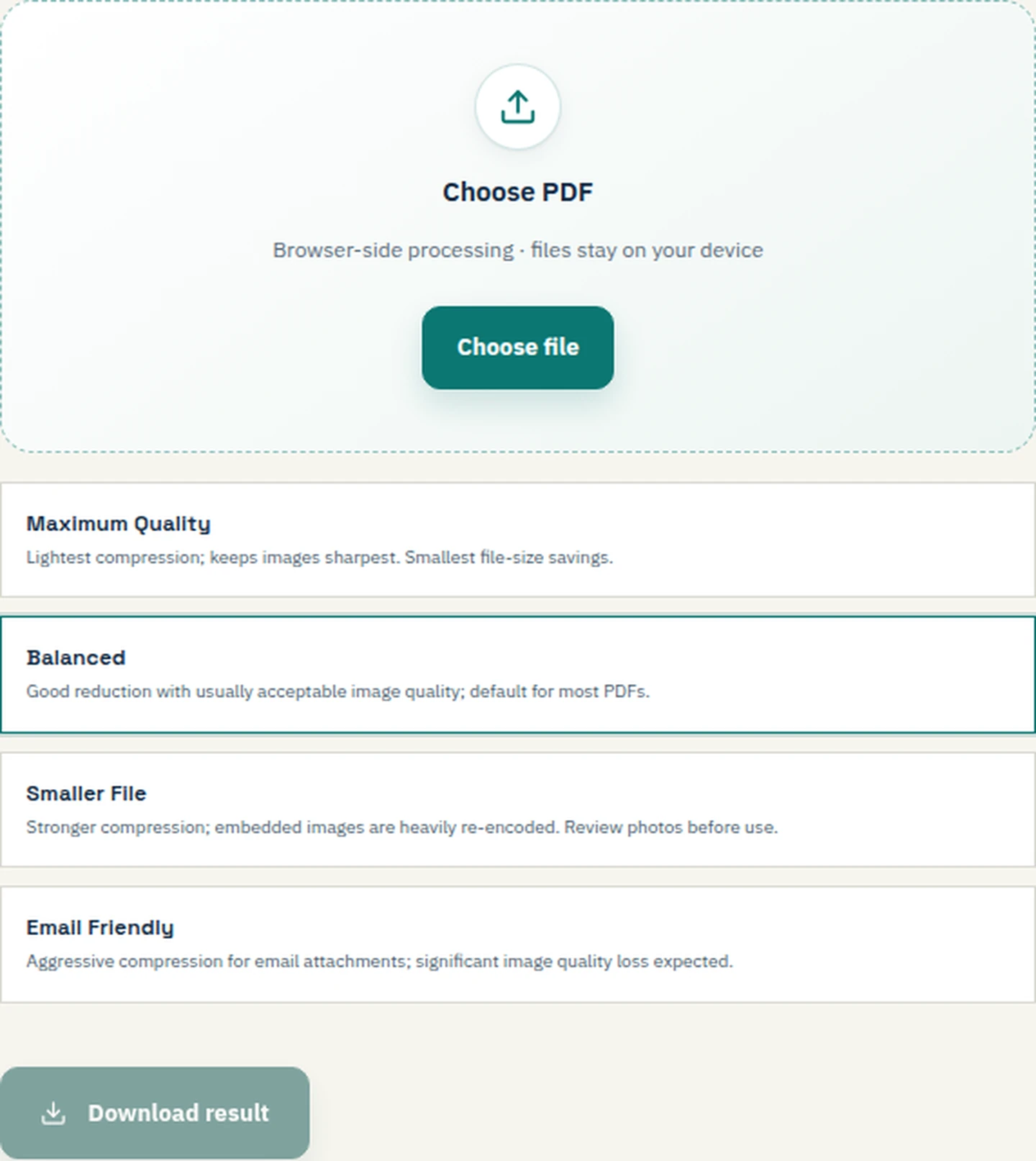
- Select your PDF file: Drag a file onto the upload area or browse to locate it.
- Process locally: The tool handles the file in your browser's memory. No files are uploaded to a server.
- Choose your compression level: Basic, Strong, or Light.
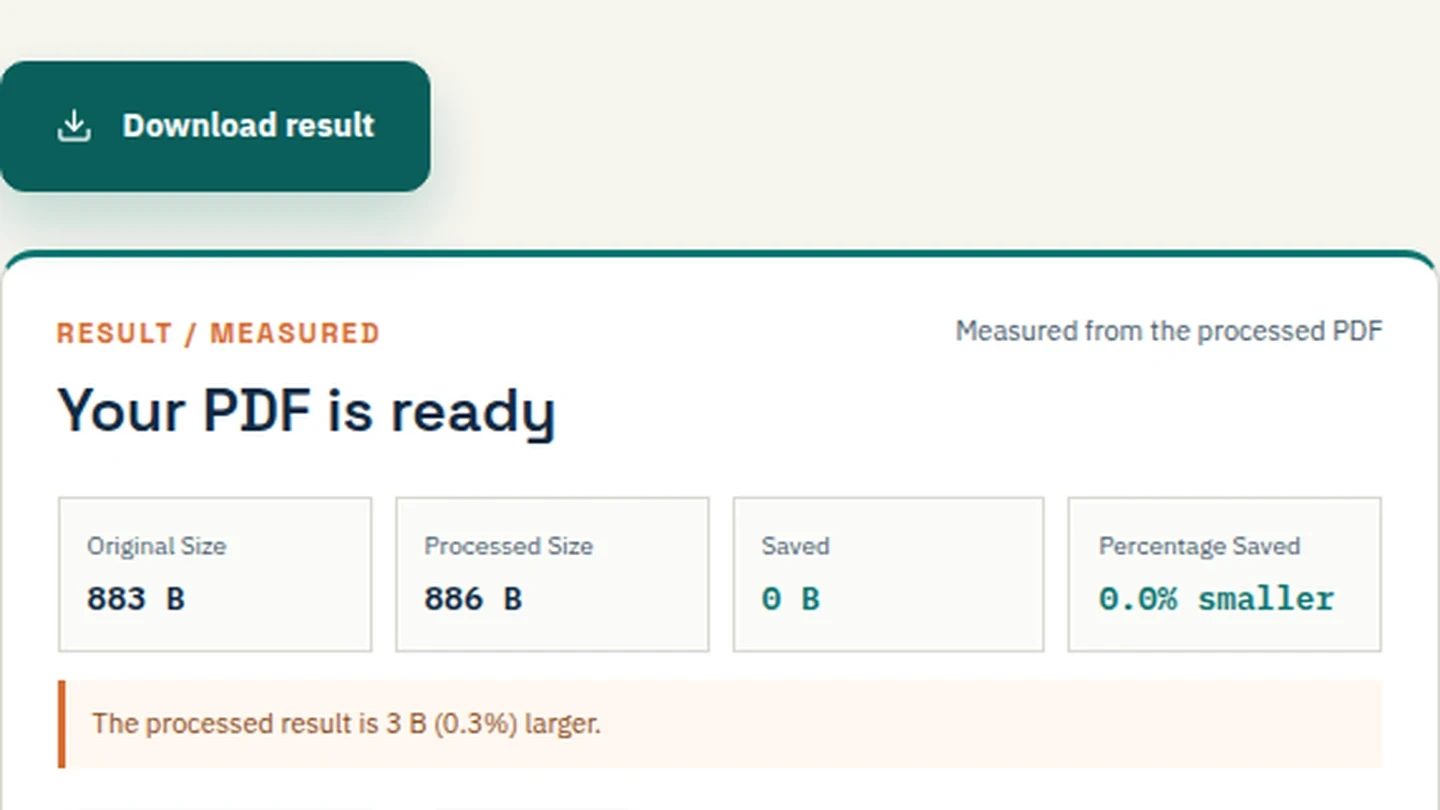
- Review and Download: Download the compressed file and compare sizes.
Compressing to Specific Target Sizes (200kb, 100kb, 1MB)
- Compress PDF to 200kb: Use the "Strong" or "Email Friendly" preset to reach strict portal limits. Ideal for job applications. Read our specific guide on how to compress to 200KB
- Compress PDF to 100kb: Use aggressive compression. Note that heavy image downsampling will occur. Read our specific guide on how to compress to 100KB
- Compress PDF to 1MB: Use "Basic" compression. This keeps text sharp and images legible while reducing size significantly. Read our specific guide on how to compress to 1MB
- Compress PDF to 500kb: A balanced setting for general sharing without quality loss. Read our specific guide on how to compress to 500KB
- Extreme Compression: For files that must fit into tiny limits (e.g., 50kb), use this setting knowing images will pixelate.
Compress PDF Without Losing Quality or Digital Signatures
- Without Losing Quality: Local processing avoids the aggressive server-side re-encoding that turns text muddy. Basic compression keeps fonts intact.
- Digital Signatures: If you need to compress pdf without removing digital signature, local tools preserve the document's structure, ensuring the signed byte range remains valid.
Combine and Compress (Advanced Workflows)
- Merge and Compress: If you have multiple files, merge them first using our Merge PDF tool, then compress the combined file.
- Compress and Convert to JPG: Use our image tools to convert compressed pages to JPG.
- Compress vs. Flatten PDF: Flattening merges form fields into the page. Compression reduces file size. Use compression for email, flattening for finalizing forms.
Need to merge images into a PDF first? Use our JPG to PDF tool.
How to Compress PDF on Different Platforms
- On Mac & Windows: Open Safari, Chrome, or Edge and use File Maktab. Or use Adobe Acrobat's built-in compression.
- On iPhone & Android: Open the browser, select your PDF, and compress locally.
- Locally and Offline: Because File Maktab processes locally, you can load the page, disconnect your Wi-Fi, and compress the PDF without internet.
For the search intent behind "compress pdf 500kb" or "compress PDF without internet", choose a preset, process the file locally, and compare the measured result before sharing.
Frequently Asked Questions
How do I compress a PDF without losing quality?
Use a local tool and choose basic compression. Avoid server-side re-encoding.
How do I compress a PDF to 200kb?
Use the strong preset in Filemaktab. Note that images will be downsampled.
Can I compress a PDF without uploading?
Yes, Filemaktab processes files locally in your browser.
Does compressing a PDF reduce quality?
Yes, if done aggressively. Basic compression keeps it readable.
How do I compress a large PDF for email?
Use the Email Friendly preset or merge/split the file first.
Is it safe to compress PDF online?
Only if the tool processes locally. Filemaktab ensures no uploads.
How do I compress a PDF to 1MB?
Use the basic compression preset to reach ~1MB.
Can I compress a PDF without losing digital signature?
Yes, local processing preserves signed byte ranges.
How compress pdf file on Mac?
Open Safari or Chrome, use Filemaktab, and process locally.
What is the difference between compress and flatten PDF?
Compression reduces file size; flattening merges form fields.
Can I compress PDF offline?
Yes, load Filemaktab, disconnect Wi-Fi, and compress.
Why won't my PDF compress?
Text-heavy PDFs barely shrink; scanned images shrink significantly.
How do I compress multiple PDFs at once?
Use the batch feature in Filemaktab or a script.
How much can a PDF be compressed?
Scanned files can shrink by 60-80%; text files shrink minimally.
What is the best free tool to compress PDF?
Filemaktab offers a free, private, local-first tool.
Related guides: Need to merge or convert after compressing? Read our guides on Merge PDF, Convert PDF to Word, and JPG to PDF.