How to Delete Pages from a PDF Locally (No Upload)
Remove blank pages, duplicates, or confidential appendices without uploading the document.
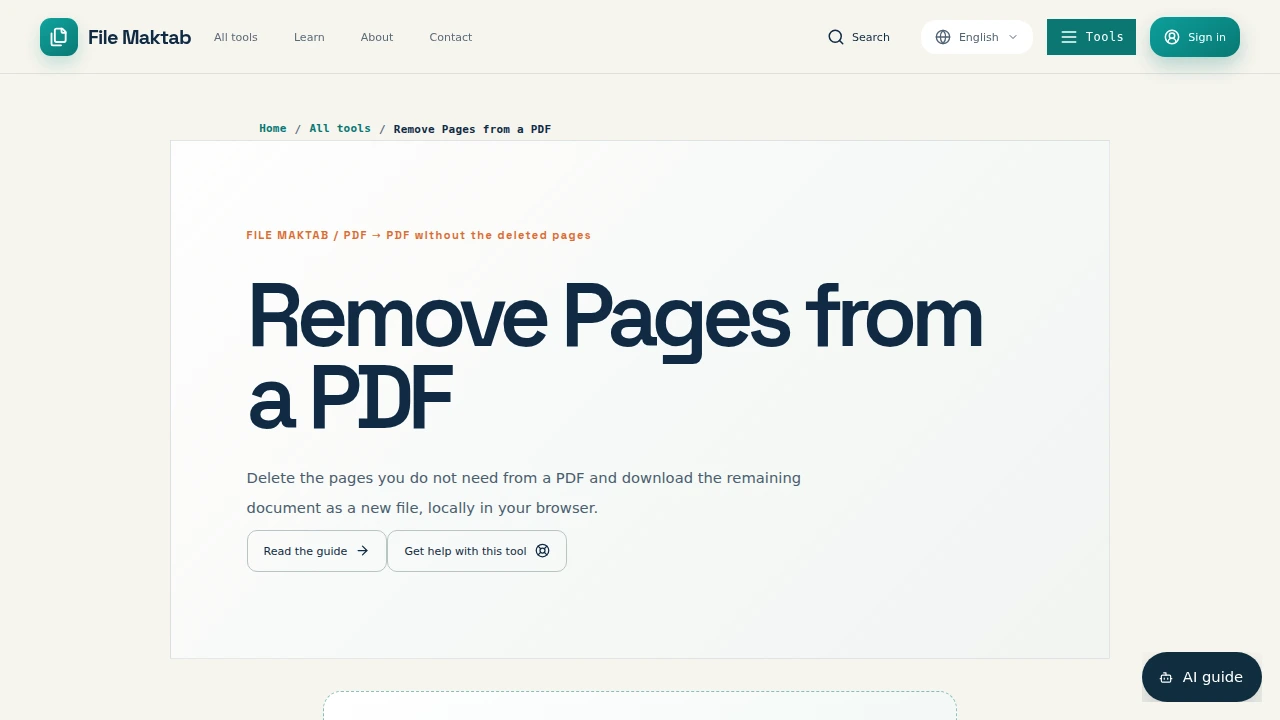
Delete PDF Pages NowDeleting pages from PDF files is usually a small task, but the method matters when the document contains a contract, payroll record, medical intake form, board deck, invoice, or signed agreement. A local workflow lets you remove the pages you do not need while keeping the original on your device. File Maktab’s Delete PDF Pages tool is designed for that browser-native path: choose a file, mark the pages, create a separate result, and inspect it before sharing.
The phrase delete pages from pdf covers two different questions. First, which pages should disappear? Second, where will the document be processed? A cloud converter may be convenient, but it requires a transfer to a service you do not control. Local processing answers both questions in one place: the file stays with the device during the operation, and the output can be checked before it replaces anything.
This guide explains how to remove pages from PDF, how to erase pages from PDF files on common devices, and where the boundaries are. It also covers blank pages, locked PDFs, signed PDFs, large files, bookmarks, compliance, and the difference between deleting and extracting. The goal is not to promise that every PDF behaves the same; it is to give you a careful workflow for the supported case.
The Hidden Security Cost of Free Online PDF Deletion
The moment you drag a contract onto a free web tool, you make a decision about where that document lives. The file leaves the laptop, travels to a server owned by someone you may never have met, sits in a processing queue, and comes back a few seconds later minus a page. The edited copy may be clean. The original is now somewhere else, subject to a retention policy you may not have read.
PDFs carry sensitive material at enormous scale: signed agreements, payroll records, medical forms, board presentations, client invoices, and identity records. For a restaurant menu, an upload may be acceptable. For a term sheet with named parties and dollar figures, the transfer deserves a reason. A privacy-first method avoids sending the document to a third-party PDF-processing queue when the job can happen on the device.
That is the distinction behind secure PDF editing and private PDF tools. Local processing does not make a computer secure, does not decide whether a recipient is authorized, and does not replace encryption or organizational controls. It does remove one avoidable transmission. File Maktab’s browser-native delete workflow reads the selected file in the browser, marks the selected pages, and creates a separate PDF output locally for this operation.
How to Delete Pages from a PDF (Step-by-Step Guide)
Start by identifying physical PDF page numbers rather than printed labels. A cover, blank page, or Roman-numbered front section still counts as a page in the viewer. If you need to remove pages 5 and 6, confirm that the viewer’s counter shows those pages, not merely a printed footer that happens to say 5 or 6.
- Keep the original. Make a working copy or retain the source until the new file has passed your checks. Never rely on an undo button as your only recovery plan.
- Open the Delete PDF Pages tool. Go to /tools/delete-pdf-pages and choose the authorized PDF from your device. A browser-native workflow avoids sending the file to a PDF-processing server for this operation.
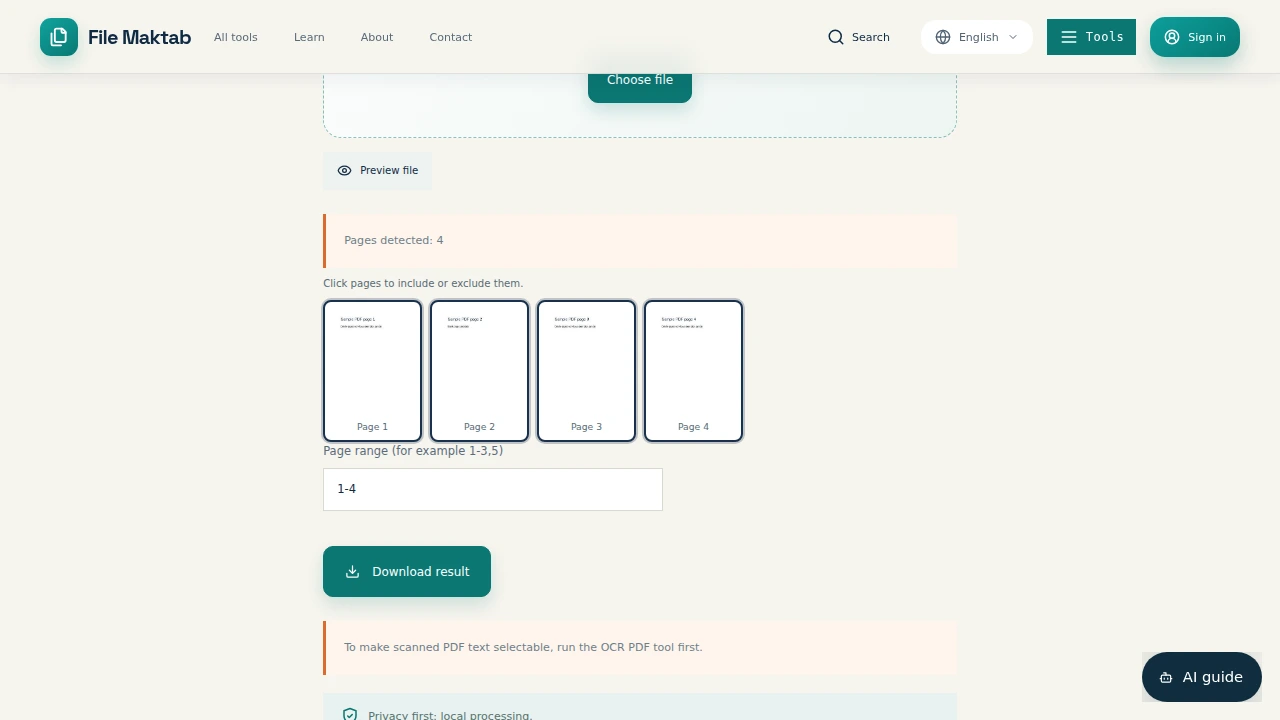
- Select the pages to remove. Use the visual page selector to mark the unwanted pages. For a short file, compare each thumbnail with your notes; for a repeated task, review the page numbers and the selected count.
- Create the new copy. Run the delete operation and download the result under a new filename. The source should remain available in its original location.
- Audit before sharing. Open the result in a PDF reader. Check the page count, first and last pages, order, bookmarks, table of contents, internal cross-references, forms, annotations, and signatures that matter to the recipient.
Deletion shifts every page after the removed page. If page 5 disappears, the old page 6 becomes page 5 in the output. That is why a quick visual review is not optional for formal documents. Compare the result with the original, then send only the new copy if it contains exactly what the recipient needs.
How to Delete Pages from a PDF Online for Free (Without Adobe)
“Online” does not have to mean “upload first.” A browser-native utility can load its interface online while processing the selected bytes in the browser. That is the useful option when you want to delete pages from PDF online without sending a confidential document to a remote converter. File Maktab’s path requires no account for the free workflow and creates a separate output rather than silently changing the source.
This is also an answer to delete pages from pdf free no sign up. Open the tool, choose the PDF, select the pages, and save the new file. The shortest route is often faster than an upload-based service because it does not wait for a transfer, remote queue, and result download. The practical limit is that browser processing depends on the file, page count, device memory, and the current tool boundary; local does not mean unlimited.
Adobe is not required for the basic operation. Adobe Reader is primarily a viewer, while full Adobe PDF editors may offer wider document controls depending on the product and plan. If you search for delete pages from pdf in adobe reader, check the exact Adobe application available to you instead of assuming that every Adobe-branded viewer has the same editing features.
Handling Advanced Scenarios: Blank Pages, Large Files (100MB+), Locked PDFs, and Signed PDFs
Blank pages. To delete blank pages from PDF, inspect the thumbnail rather than trusting a filename or page count. A page that looks blank may contain a form field, a scanned mark, a hidden annotation, or a page intentionally used as a divider. Remove it only after checking the content and the purpose of the page in the source packet.
Files larger than 100MB. A browser tool is not a supported answer to delete pages from pdf more than 100 mb unless its published limit explicitly accepts that file. Use an approved local desktop application for a 100MB-plus document, or ask an authorized records owner to create smaller working files. Do not upload a sensitive file to an unfamiliar service just to bypass a size limit.
Locked PDFs. A protected or encrypted PDF may not open in a browser-native workflow. If you are authorized, obtain the password or an accessible copy from the owner, then use an approved application. Do not attempt to bypass access controls, remove restrictions without permission, or treat a failed load as permission to upload the file elsewhere.
Signed PDFs. Delete pages from signed PDF is a document-change question, not only a page-selection question. Creating a new PDF changes the signed bytes and may invalidate the signature. Keep the signed original, confirm the required legal or records process, and have the signer or document owner define how the new extract should be authenticated.
Complex forms, annotations, bookmarks, and internal destinations can also behave differently after a page is removed. The visible page may look correct while a document-level feature still points to an old location. Treat the output as a new document that needs a short audit.
How to Delete Pages from a PDF on Mac, Windows, iPhone, and Android
On macOS, Preview provides a direct offline route. Open the PDF, choose View → Thumbnails, select one page or use Command-click or Shift-click for several pages, press Delete, and save a new copy. Preview is already on the machine, so the file does not need to cross the network. Keep the original if the document is signed or important.
Windows does not expose the same page-delete button in every viewer, but Print to PDF is a reliable fallback. Open the PDF, press Ctrl+P, select Microsoft Print to PDF, and enter only the pages you want to keep, such as 1-4,6-12 when dropping page five. This rebuilds the document and may strip forms or annotations, so it is useful when you want them gone and risky when you need them preserved.
On an iPhone or Android device, a supported browser-based workflow can be more predictable than installing an unknown app. Select the local PDF, mark the unwanted pages, download the new copy, and open it again. Mobile memory and file-picker behavior vary, so use a smaller working copy when the device struggles and keep the source intact. The phrase how to delete pages from pdf mac may point to Preview, while the same job on a phone is better handled by a browser-native tool or an approved mobile editor.
Add and Delete Multiple Pages from PDF at Once
The phrase add and delete pages from PDF can describe two separate tasks. Deleting pages removes selected content from an existing document. Adding pages usually means inserting pages from another PDF or combining files. Decide whether you need one cleaned document, a reordered packet, or a new merged deliverable before choosing the tool.
For how to delete multiple pages from PDF, select all unwanted thumbnails in one pass, then review the marked set before running the operation. If pages 3, 8, and 12 are removed, check each thumbnail and confirm that the result contains every page between them in the intended order. When the job is repetitive, write down the physical page numbers first; that reduces mistakes caused by printed numbering.
After deleting pages, do not assume that adding replacement pages will repair every reference. A table of contents, bookmark, cross-reference, or form action may still point to the old structure. If the final job requires insertion and deletion together, use an approved editor that explicitly supports both actions and audit the final page map.
Why Choose Local PDF Deletion Over Adobe Acrobat
A browser-native delete operation is a good fit when the task is narrow: remove a few pages from a readable PDF, create a new copy, and avoid installing a full editor. It can finish before a cloud upload would have started, and the file remains on the device during the operation. The advantage is control of the data path, not a promise that every document feature will survive unchanged.
Adobe Acrobat and other desktop editors may offer broader controls for forms, outlines, permissions, redaction, signatures, and large files. Their suitability depends on the exact application, license, device, and organizational approval. Do not claim that every Adobe workflow is remote or that every browser workflow replaces Acrobat. Compare the actual capability you need with the actual file you have.
The right choice is the least complex permitted method that can complete the job reliably. Use local browser processing for a supported small task, Preview for a straightforward Mac edit, Print to PDF as a Windows fallback when rebuilding is acceptable, and an approved desktop editor when document structure or policy requires it.
Maintaining Compliance: HIPAA, GDPR, and Local File Processing
Local file processing can support a privacy-aware workflow because it avoids one transfer of document contents to a PDF-processing service. That matters when a file contains personal data, health information, employment records, customer details, or trade secrets. But “local” is not a legal status and is not, by itself, HIPAA compliance, GDPR compliance, or an employer approval.
Compliance depends on the purpose, legal basis, access controls, retention period, device security, people involved, vendor relationships, contracts, audit trail, and policies that apply to the organization. Before processing regulated material, check the approved-tool list, confirm that you are authorized to create the new copy, and store and share the result through an approved channel.
A local workflow also cannot control what happens after download. Keep the original where policy requires, remove temporary copies only when allowed, do not email an unnecessary full document, and make sure the recipient needs the pages you are sending. Privacy-first editing reduces one avoidable exposure; it does not replace document governance.
Troubleshooting: Why Can't I Delete Pages from My PDF?
Confirm the extension is PDF, the file is not empty, and the device can open it in another trusted reader. A damaged or malformed document may fail in one library even when it opens elsewhere. Save a fresh authorized copy locally and retry without overwriting the source.
Check the page selection carefully. Physical PDF pages include covers and blanks. If the selected count or thumbnails do not match your notes, clear the selection and start again. This avoids removing the wrong page when printed page labels differ from viewer numbers.
For a locked or encrypted file, use the correct password in an approved application or ask the owner for an accessible copy. The delete-pages workflow is not a method for bypassing access controls, and repeated retries will not make an unauthorized file accessible.
If the output looks correct but a bookmark or form is wrong, inspect the document structure separately. Compare the table of contents, click important internal links, and test fields or annotations that the recipient depends on.
Large scans can use substantial memory even when their compressed file size looks modest. Close heavy tabs, use a device with enough memory, or switch to an approved local desktop workflow for a large file. Do not interpret troubleshooting as a way to bypass a published size limit.
The Bottom Line: Secure PDF Deletion in 2026
A PDF document delete pages task takes under a minute when the file is readable, the unwanted pages are known, and the selected workflow matches the document. The important decision is where the processing happens. macOS Preview, Windows Print to PDF, and browser-native tools can complete simple jobs without transmitting the document to a PDF-processing queue.
Keep sensitive files local when possible. Audit bookmarks, the table of contents, internal cross-references, forms, and signatures every time the page count changes. Use Print to PDF as a dependable Windows fallback when rebuilding the document is acceptable. Use a full approved editor for locked, signed, very large, or structurally complex PDFs.
Never put PII, trade secrets, personnel records, signed contracts, or financial statements through a free cloud converter merely because it appeared first in search. The fastest method and safest method can point to the same answer: process the file where it already sits, retain the original, and verify the new copy before sharing it.
Choosing a Smarter Workspace for Your Documents
File Maktab delivers private PDF tools in a browser tab: open the page, drop in your document, select the pages to drop, and save the result. There is no account to create for the free workflow and no upload progress bar to watch. Whether you need a pdf remove a page operation on one contract or a batch review of scanned records, the practical habit stays the same: keep the source, process only what you are authorized to edit, and inspect the output.
For remote professionals in 2026, editor-grade control with offline-grade privacy is a sensible document-workspace model. The next time a signature page, blank scan, duplicate, or redundant appendix needs to go, try handling it locally instead of uploading it somewhere else. If the document exceeds the supported browser boundary or needs a password, form preservation, or signature validation, switch to an approved local application rather than forcing the wrong tool.
How can I delete pages from a PDF for free?
Open File Maktab’s Delete PDF Pages tool, choose a PDF, select the pages to remove, and download a new copy. The browser workflow is free and requires no account.
Can I delete pages from a PDF without Adobe?
Yes. You can use a browser-native tool or the built-in Preview and Print to PDF workflows on supported desktop systems without Adobe Acrobat.
How do I delete a blank page from a PDF?
Open the PDF in the delete-pages tool, identify the blank page in the visual selector, select it for removal, and save the new PDF. Check the result before replacing the original.
Can I delete pages from a signed PDF?
You can create a modified copy only when you are authorized, but changing pages can invalidate a digital signature. Keep the signed original and confirm the required authentication workflow first.
How do I handle PDFs larger than 100MB?
Use an approved local desktop PDF application that supports the file size, or create smaller authorized source files. Do not upload confidential material to an unfamiliar converter just to meet a limit.
Is my PDF uploaded to a server?
File Maktab’s browser-native delete workflow processes the selected file on your device for this operation. The page still needs to load, and this statement is not a regulatory certification.
What is the difference between extracting and deleting pages?
Extracting keeps selected pages in a new PDF. Deleting removes selected pages while retaining the other pages in their existing sequence.
How do I delete a page from a PDF on my iPhone or Mac?
On Mac, Preview can remove selected thumbnails. On iPhone, use a supported browser-based workflow, select the page, download the new copy, and verify it before sharing.
Why can't I delete pages from my PDF? (Troubleshooting)
Check that the file is a readable PDF, is not empty or damaged, and is within the tool’s current limit. Locked, encrypted, signed, or unusually complex files may require an approved desktop editor.
Does deleting pages reduce PDF quality?
Removing page objects does not intentionally rasterize the remaining pages. Still, open the downloaded copy and check text, images, forms, bookmarks, and links before relying on it.
Can I delete multiple pages at once?
Yes. Select multiple thumbnails or enter the applicable page range in the tool, then review the pages marked for removal before creating the new PDF.
How do I delete pages from a PDF in Google Drive?
Download or open an authorized local copy, then use a browser-native delete workflow or an approved PDF editor. Review Google Drive sharing and retention rules before creating another copy.
Is it safe to delete pages online?
Safety depends on where processing happens and what the document contains. For PII, contracts, medical records, or trade secrets, prefer a local workflow and follow your organization’s policy.
Can I undo a page deletion if I make a mistake?
The original file should remain unchanged when you create a new output copy. Keep it until you have verified the result, then repeat the operation with a corrected selection if needed.
What is the fastest way to delete pages from a PDF?
For a small readable file, select the pages locally, run the delete operation, and inspect the new copy. Local processing avoids an upload and download wait.
File Maktab content is educational and reflects current tool limits. No affiliate links are active in this version.